Mental health
Schedule-led start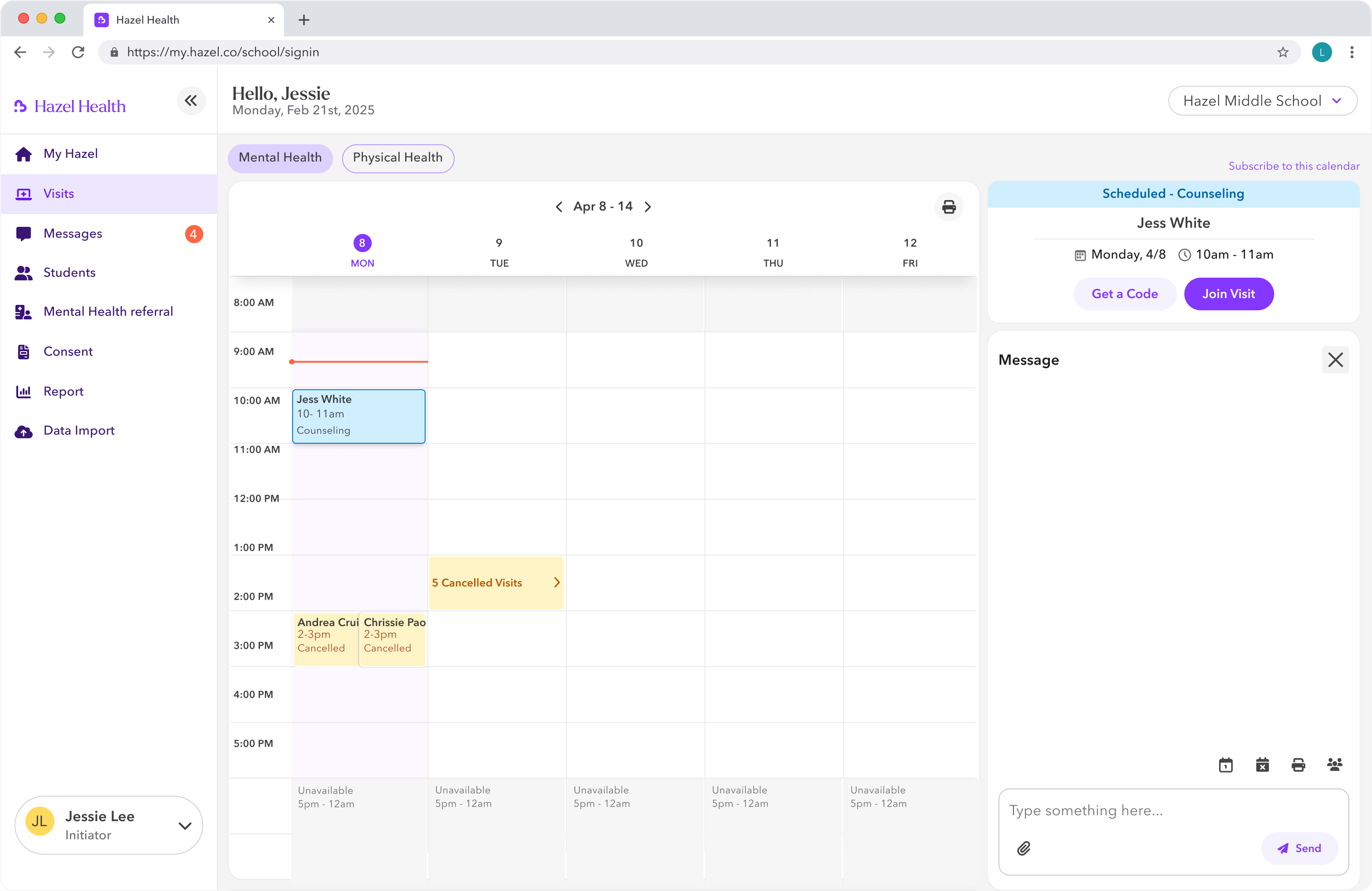
Hazel Health
How a "web migration" became a rethink of what it means to safely access healthcare on a shared school device.
I led field research and designed a visit-scoped access model that let schools run secure concurrent visits on any available device — without student accounts or persistent logins.
Role
Product designer (Lead)
Company
Hazel Health
Time
2025
Scope
Visit-scoped access model
Cross-care workflows
0%
Reduction in visit setup time
0.0M
Hardware cost avoided
Concurrent visits
Without a dedicated kiosk for every visit
Visit-scoped privacy
Access expires automatically with each visit
01 THE PROBLEM
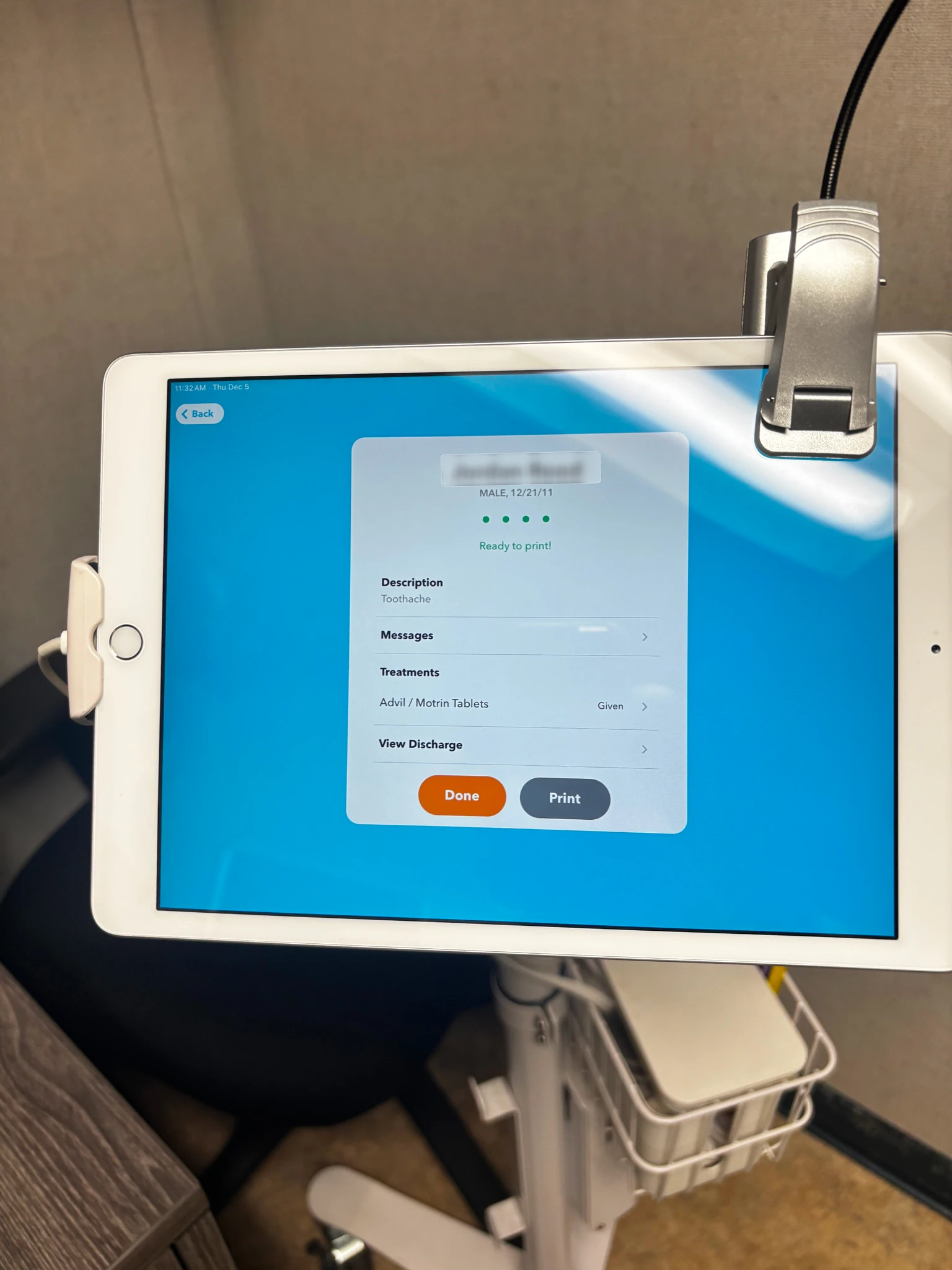
Hazel delivers telehealth — scheduled therapy and on-demand sick visits — inside K-12 schools. Every visit ran through a dedicated, physically managed iPad kiosk. That model was hitting a wall.
Capacity
One device could support only one visit at a time.Cost
Every additional concurrent visit required more managed hardware.Privacy
Moving to shared computers removed the physical control that made the kiosk feel safe.Across three school visits and ten-plus staff interviews, I shadowed staff launching visits and separated delays caused by school logistics from delays caused by the device model.
Expected
Actual
The friction wasn't in the care — it was in getting access to it.
Half of every delay was device-bound: finding an iPad, waiting for one, or setting it up. School logistics remained; the device bottleneck did not have to.02 REFRAME
Traditional auth scopes access to a user. In a shared-device school environment, access needed to be scoped to a single visit — created for it, expiring with it.
Why the iPad model felt safe
Dedicated iPad
Physical control
The iPad stayed in the health office and was handled by staff.
Known staff identity
The person starting the visit was signed in through their own staff account.
Move to web
Shared device
Shared computer
Any shared computer could become the visit device—and remain accessible to others.
Student account
Requiring student accounts on shared devices would introduce new privacy risk.
Trust could no longer live on the device.
It had to move to the visit.
From staff interviews
Nurses and counselors weren't worried about screens or workflows. They were worried about trust: what happens to student data on a device anyone can walk up to?
03 DECISION
Staff manage visits — find, schedule, start — in an authenticated portal.
Students execute visits through a short-lived session code: any available device, no student account, no persistent login, nothing left behind when the visit ends.
Visit management — authenticated staff portal
Schedule mental health visit /
Start new physical visit
Start visit
Generate session code
Session code issued
Visit execution — session code, any device, no login
Join visit on any device
Enter code + verify identity
Rejected
Standard web login + role-based access
Assumes the person logged in is the person at the device. Requires student accounts on shared machines.
Rejected
One-time unique URL per visit
URL leakage risk. Poor lifecycle control once the link is out.
Visit-scoped session
ChosenDecouples access from device and identity. Scopes data to a single visit. Works on any device. Preserves staff workflow. Privacy by architecture, not by policy.
Feasibility reviews turned security and platform limitations into clearer interaction rules before the model moved forward.
Short-lived code
Codes appear one hour before a visit and expire immediately after. A tighter security model than we originally planned.
“Sessions can't be hijacked or extended beyond their scope.” — Vincent, Engineering
Simultaneous verification
One screen, one step. It eliminated confusion about multi-step verification entirely.
“The session code and student verification have to happen simultaneously.” — Chris, Engineering
A single, decisive choice
The limitation forced a clearer interface: pick one identifier, not both.
“The system can't verify both DOB and school ID together.” — Avram, Engineering
04 CARE MODELS
Counselors plan scheduled therapy from a calendar. Nurses begin with a student standing in front of them. The management surfaces changed; the visit-scoped access pattern stayed the same.
Different starts
Shared access core
Different endings
Calendar
Visit details
Visit-scoped session
Nothing remains on the device.
Student search
Pre-screening
Records stay in the staff portal.
Applied across both care models
The product keeps mental and physical health distinct where staff work begins, then brings both into the same visit-scoped access pattern.
Mental health
Schedule-led startPhysical health
Student-led start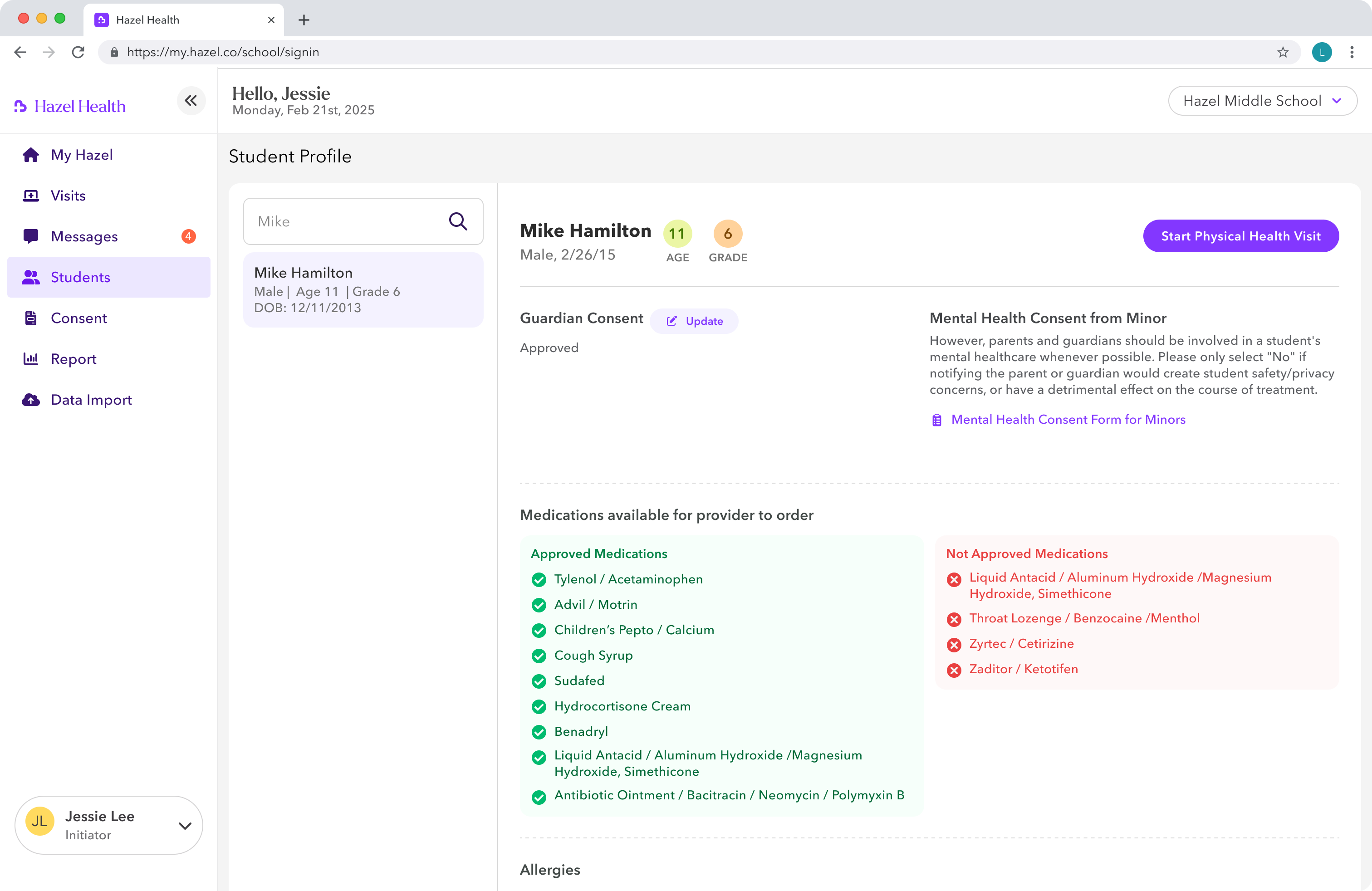
Common access rule
Enter code + identity
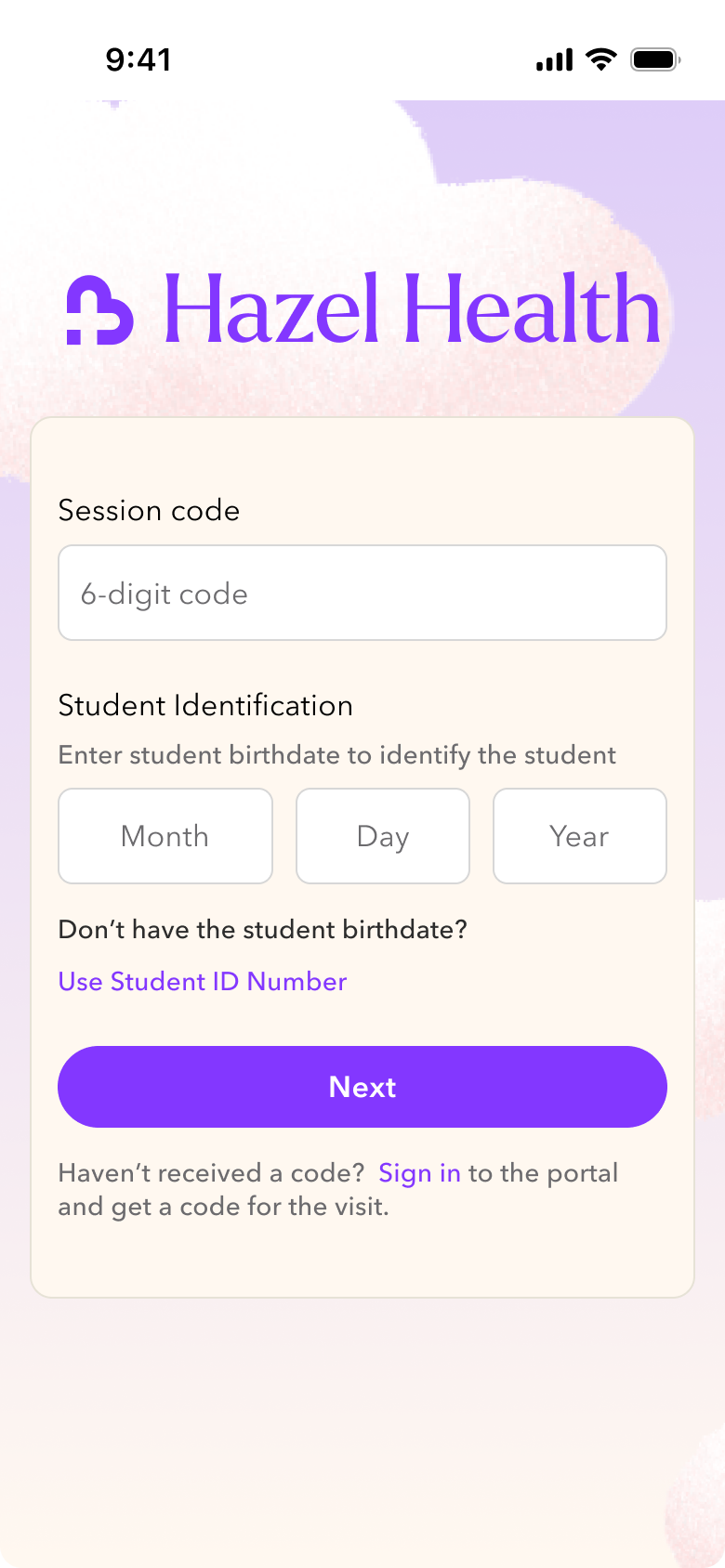
Confirm the visit
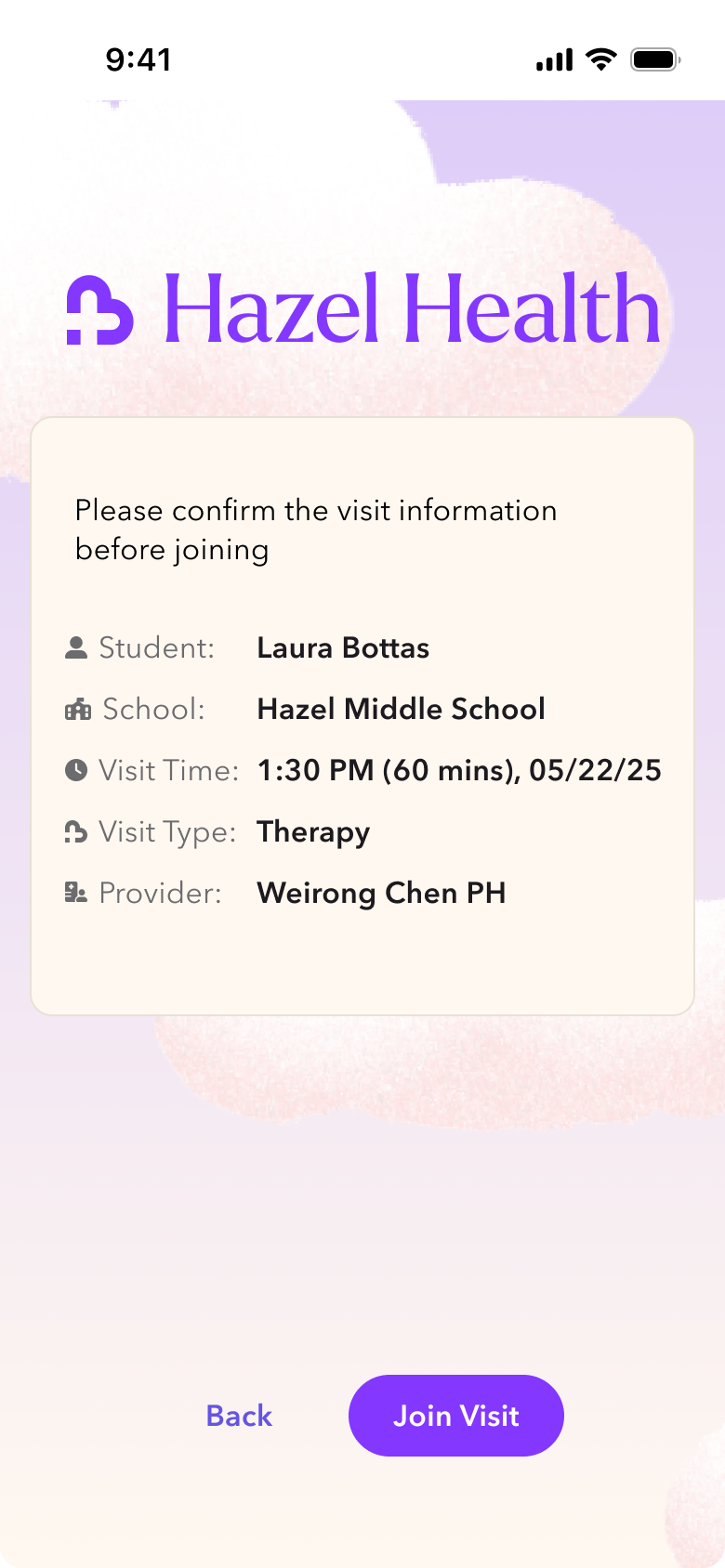
Wait for the provider
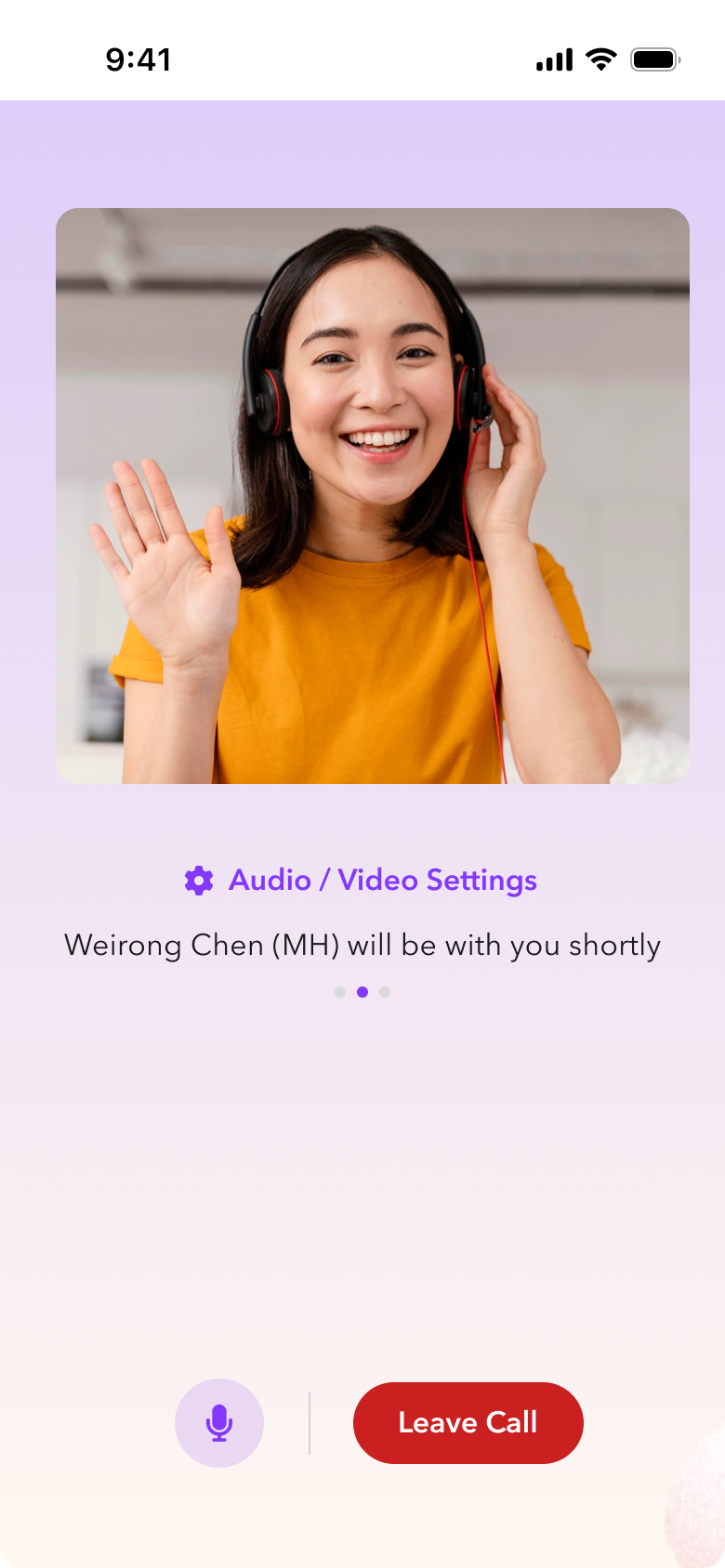
The interfaces changed with the care model.
The access pattern didn’t.
05 SYSTEM IMPACT
Moving the live visit into a temporary session created a boundary: patient context and clinical records still belonged in the authenticated staff portal. The surrounding product had to make that boundary visible and usable.
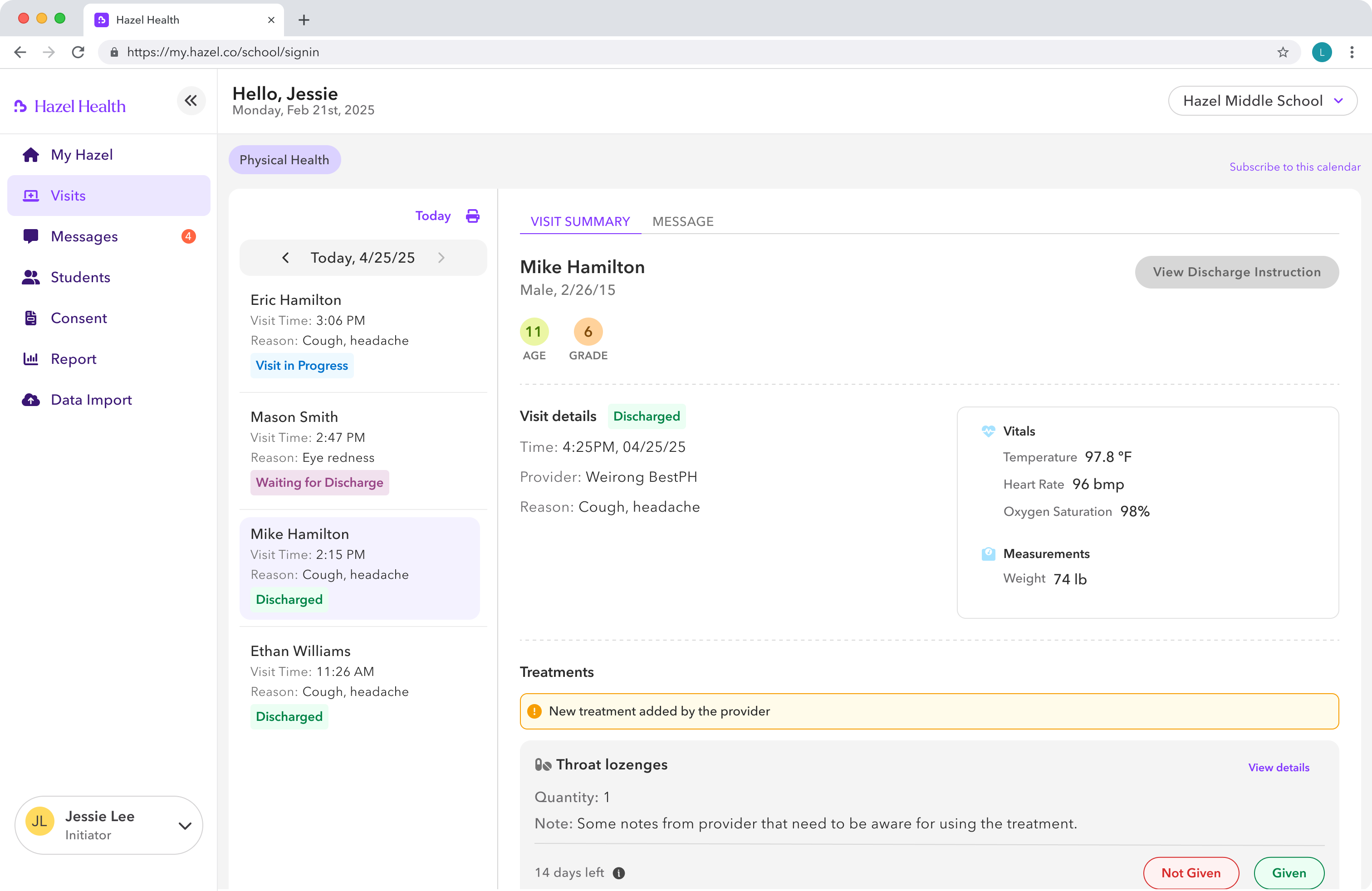
Moving visits to the web could not mean exposing every record to every role. I consolidated fragmented student data into one permission-aware profile: shared context — identity, referrals, guardian consent — remained consistent, while clinical sections and actions changed with the care model.
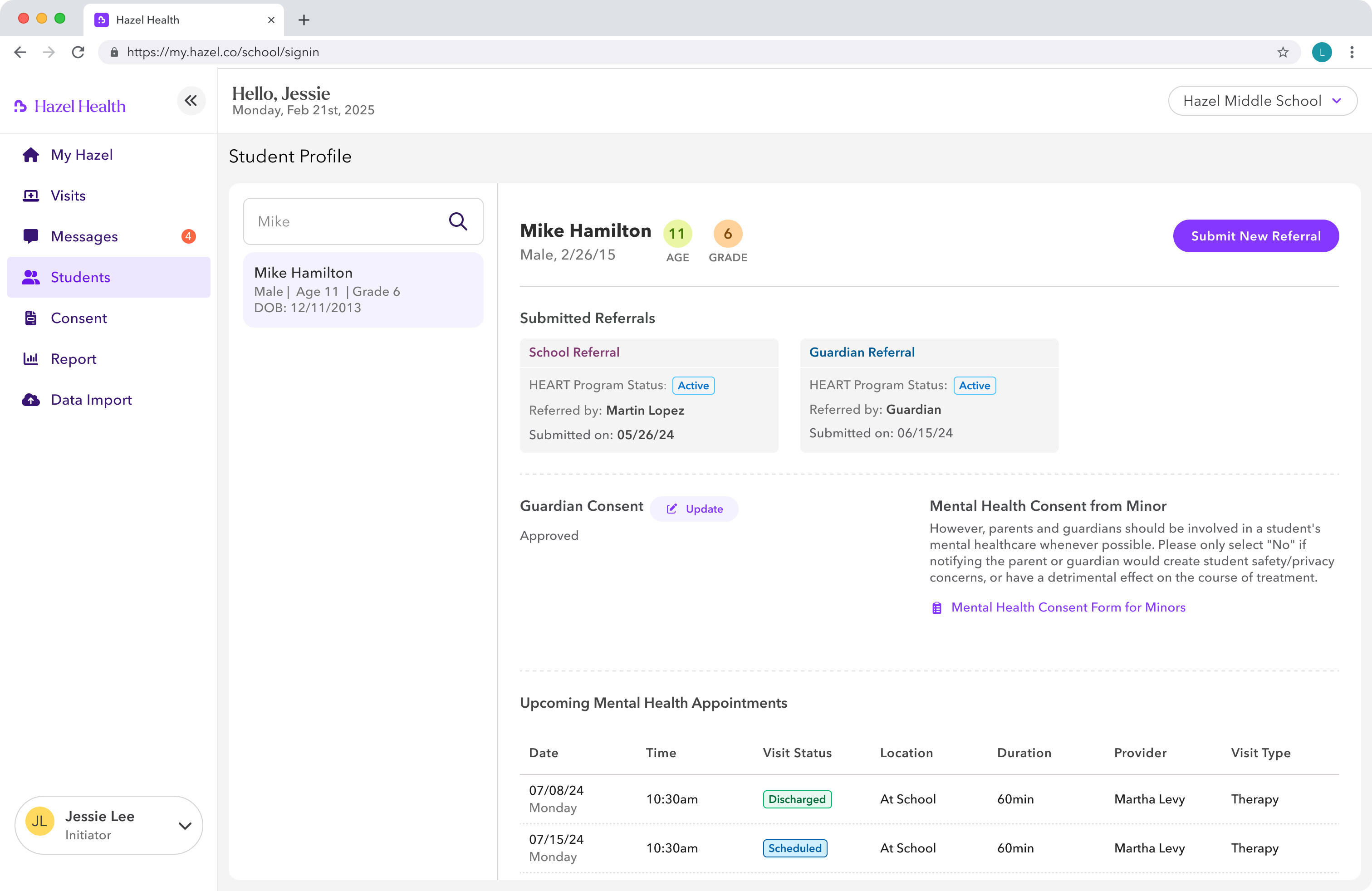
Referrals, consent, and upcoming appointments live together in one student record.
Staff can create a new referral without leaving the student’s history.
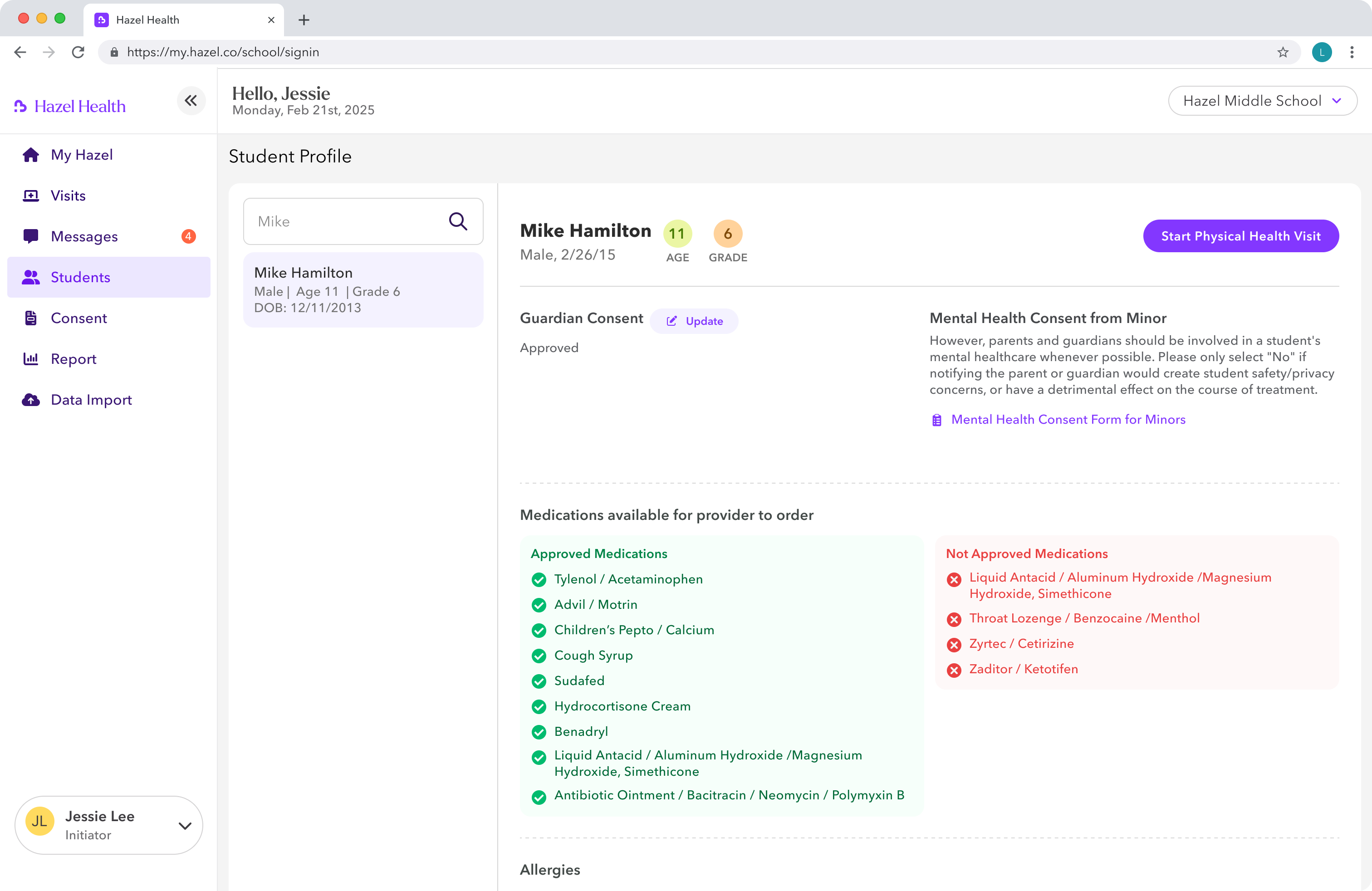
Nurses can begin a walk-in visit directly from the student profile.
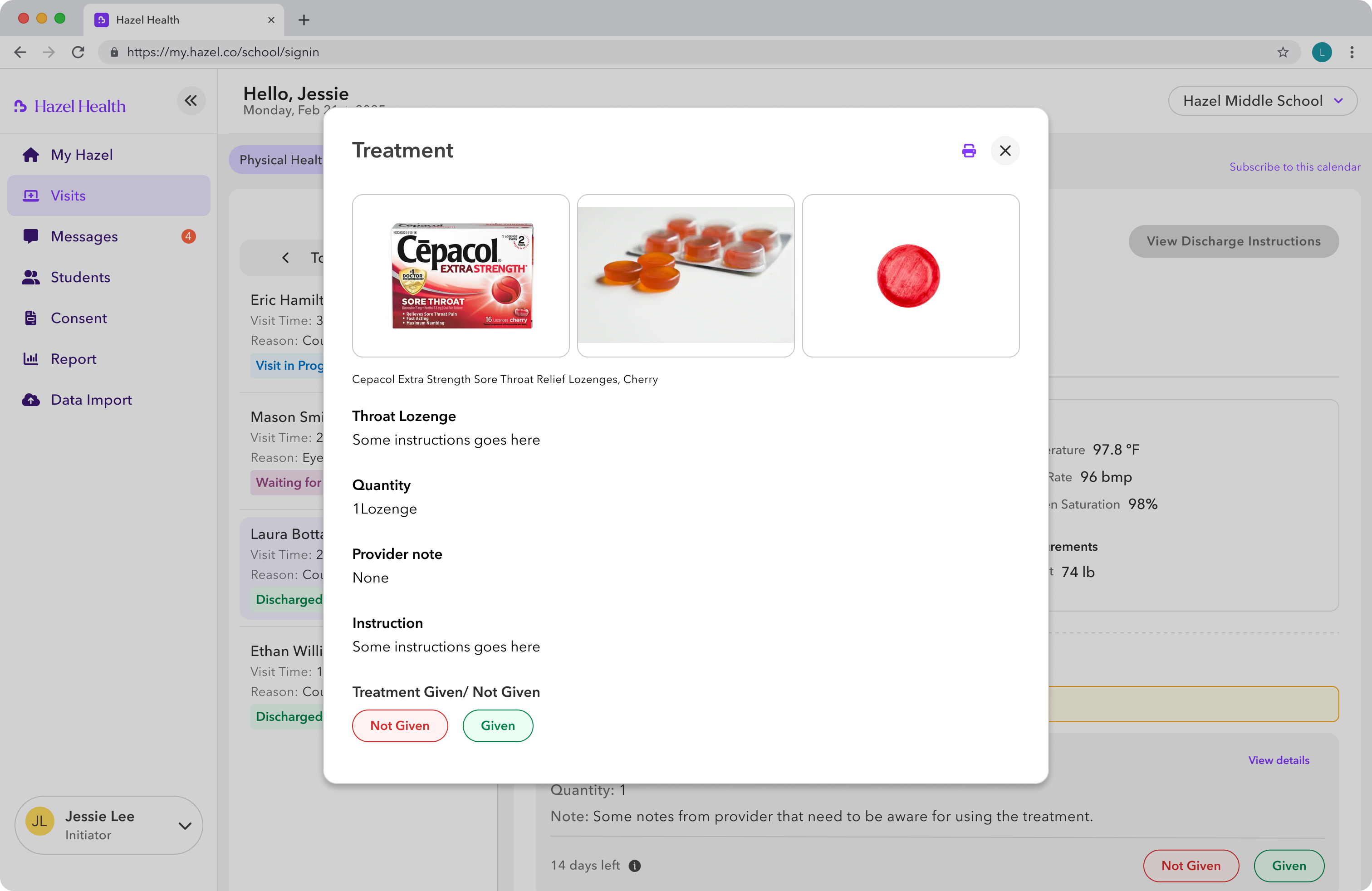
Consent and medication eligibility are visible before treatment begins.
The student record stays consistent. The actions and clinical context adapt to the care model.
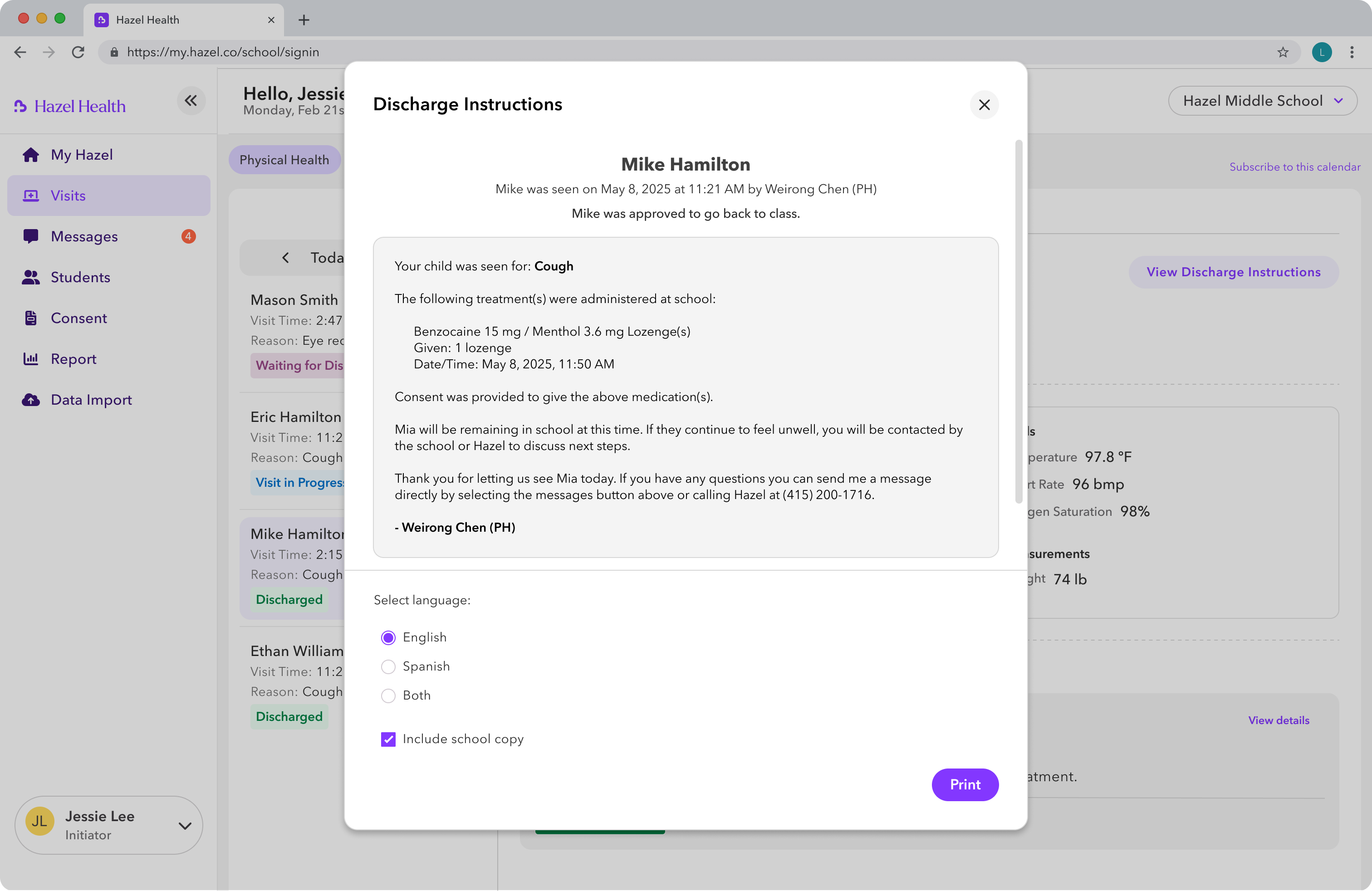
The short-lived session was designed for visit access, not record keeping. After the live visit, nurses return to the authenticated staff portal to document treatment and discharge, keeping clinical records outside the temporary session.
I worked across product, engineering, compliance, and clinical teams to test the model against sequencing, technical feasibility, privacy, and real care delivery.

Product
Sequenced the session architecture before calendar and visit features.
Engineering
Co-designed the token model and worked through expiry, crashes, and concurrent sessions.
Compliance
Validated visit-scoped access against HIPAA and FERPA requirements.
Clinical
Verified that the workflows and clinical documentation matched real care patterns.06 IMPACT
Visit-scoped access replaced a hardware-bound workflow with a model that could run safely on any available device—reducing setup time and avoiding additional kiosk costs.
Before
After
Setup time
Ten minutes lost to device setup
50% reduction in visit setup time
Hardware
A dedicated iPad for every concurrent visit
$4.5M in hardware cost avoided
Capacity
One visit per school kiosk
Concurrent visits on any available device
Privacy
Trust tied to a controlled device
Access scoped to one visit and automatically expired
07 REFLECTION
01
This started as a UI migration. It became an access redesign because I investigated why the old system felt safe — not merely what it looked like.
02
HIPAA, shared devices, walk-in care, and school trust all pushed toward the visit-scoped model. A standard web login would not have solved the real problem.
03
Treat the iPad-to-web transition as part of the product, not a post-launch task. I would also track school confidence in data protection throughout the migration.
Next case study
uLab Systems — A clearer way to review AI-assisted treatment plans →